
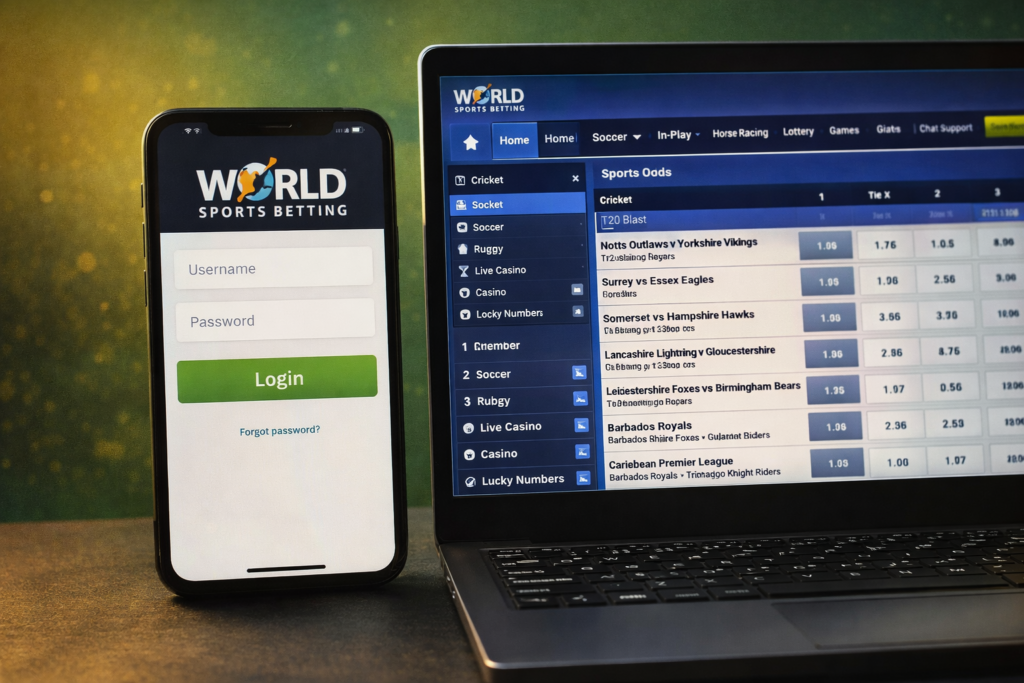
How to Log In to World Sports Betting (WSB): Complete 2026 Guide
Step-by-step guide to logging into your World Sports Betting (WSB) account on desktop and mobile. Reset forgotten passwords, fix login issues, and start betting today.
Get Back to Betting Fast
World Sports Betting (WSB) is one of South Africa’s most popular betting platforms, offering competitive odds on soccer, rugby, cricket, horse racing, and more. Whether you’re a new user trying to access your account or a regular bettor having trouble logging in, this guide will walk you through the process step by step.
Let’s get you logged in and ready to place your bets.
How to Log In to WSB on Desktop (Computer)
Logging in on a computer is simple and takes less than a minute.
Step-by-step instructions:
- Go to the WSB website – Open your browser and navigate to www.worldsportsbetting.co.za
- Click the “Login” button – Look for the green “Login” button at the top middle of the homepage
- Enter your credentials – Type in your username (or registered mobile number) and password in the appropriate fields
- Save your login (optional) – Check the box next to “Save” if you want your browser to remember your login information
- Click the blue “Login” button – You will be redirected to your account dashboard, ready to start betting
Pro Tip: Bookmark the WSB login page for even faster access next time.
How to Log In to WSB on Mobile (App & Browser)
WSB offers two ways to bet on your phone: through their data-free mobile app or the mobile website.
Option 1: WSB Mobile App (Android & iOS)
The WSB app gives you full access to live odds, in-play betting, and account management with just a few taps.
Step-by-step instructions:
- Download the app – Get the “WSB Data Free” app from the Google Play Store (Android) or Apple App Store (iOS)
- Open the app – Tap the WSB icon on your home screen
- Click the “Menu” button – Located in the top left corner of the app
- Tap “Login” – This will take you to the sign-in screen
- Enter your username and password – Use the same credentials you created during registration
- Save your info (optional) – Check “Save” if you want the app to remember your login
- Tap the blue “Sign In” button – You’ll be redirected to your account dashboard
Option 2: WSB Mobile Website (No App Download)
Prefer not to download an app? The mobile website works just as well.
- Open your mobile browser (Chrome, Safari, etc.)
- Go to www.worldsportsbetting.co.za
- Tap the “Login” button at the top of the page
- Enter your username and password
- Tap “Login” to access your account
Key features of WSB mobile:
- Live odds update in real-time
- In-play betting with odds that shift by the second
- Cash-out and BetBuilder options available
- Push notifications for important events
- Low data usage
How to Reset Your WSB Password (Forgot Login Credentials)
If you’ve forgotten your password or username, don’t worry – recovery is easy.
Step-by-step password reset instructions:
- Go to the WSB login page – Visit www.worldsportsbetting.co.za
- Click the “Login” button – The green button at the top of the homepage
- Click “Forgot Login?” – Look for this link below the login fields
- Enter your registered email or username – Use the email address or username associated with your WSB account
- Click the blue “Submit” button – Follow the prompts to reset your password
- Check your email – You’ll receive instructions to create a new password
Pro Tip: If you no longer have access to your registered email, contact WSB customer support for assistance.
Common WSB Login Problems & Solutions
Having trouble logging in? Here are the most common issues and how to fix them.
Problem 1: “ID Number or Mobile Number Already Exists”
Cause: You may have started a registration in the past but never completed it.
Solution: Contact WSB technical support to resolve the duplicate account issue.
Problem 2: Account Locked or Suspended
Cause: Multiple failed login attempts or account verification issues.
Solution: Contact customer support to unlock your account and verify your identity.
Problem 3: Forgotten Username or Password
Cause: It happens to everyone!
Solution: Click “Forgot Login?” on the sign-in page and follow the password reset prompts.
Problem 4: Unable to Log In on Mobile Device
Cause: Device compatibility or app issues.
Solutions:
- Ensure your mobile device meets the minimum system requirements
- Clear your browser cache and cookies
- Try using a different network or Wi-Fi connection
- Update the WSB app to the latest version
Problem 5: Slow Website or App Not Loading
Cause: Browser cookies or internet connection issues.
Solutions:
- Clear your browser cookies and cache
- Check that your internet connection is stable
- Restart your browser or device
- Try using a different browser
Problem 6: FICA Verification Pending
Cause: Your account hasn’t been FICA-verified yet.
Solution: Submit your ID/passport and proof of residence (utility bill not older than 3 months) to enable full account access and withdrawals.
New to WSB? How to Register First
If you don’t have a WSB account yet, you’ll need to register before you can log in.
Quick registration steps:
- Go to the WSB website and click the orange “Sign Up Now” button
- Fill in your personal details (name, phone number, email, ID number, date of birth)
- Create a username and password
- Enter your address details (street, suburb, city, province, postal code)
- Opt-in for the welcome bonus if desired
- Agree to the terms and conditions (you must be over 18)
- Click “Register” to complete
After registration: You’ll need to FICA your account by submitting your ID and proof of residence before you can withdraw winnings.
WSB Login Requirements Checklist
Before trying to log in, make sure you have:
WSB Security Features
WSB takes security seriously. Here’s how your account is protected:
- SSL encryption – All data transmitted between you and WSB is encrypted
- Local licensing – WSB is regulated by the Gauteng Gambling Board (license RAN004)
- Two-factor authentication available – Adds an extra layer of security
- Account recovery tools – Easy password reset options
FAQ – WSB Login
How do I log into my World Sports Betting account?
Go to the WSB website, click the green “Login” button, enter your username and password, and click “Login”.
Is there a WSB mobile app?
Yes. Download the “WSB Data Free” app from Google Play (Android) or the App Store (iOS).
What if I forget my WSB password?
Click “Forgot Login?” on the sign-in page, enter your registered email, and follow the password reset instructions.
Why can’t I log into my WSB account?
Common reasons include incorrect credentials, forgotten password, account lockout, or FICA verification pending. See the troubleshooting section above.
How do I contact WSB customer support?
- Betting line: 0860 103 393
- General WhatsApp: +2764 648 9068
- Email: [email protected]
- Live chat available on the website
Do I need to FICA my WSB account?
Yes. FICA verification is required before you can withdraw any winnings. Submit your ID and proof of residence.
Can I save my login information on the WSB app?
Yes. Check the “Save” box when logging in, and the app will remember your credentials for next time.
Final Thoughts
Logging into your World Sports Betting account is straightforward – whether you’re using a computer, the mobile app, or your phone’s browser.
Quick recap:
- Desktop: worldsportsbetting.co.za → green “Login” button → enter credentials → blue “Login” button
- Mobile app: Download “WSB Data Free” → Menu → Login → enter credentials → Sign In
- Forgot password? Click “Forgot Login?” and follow the prompts
If you’re still having trouble after trying these steps, contact WSB customer support via live chat, WhatsApp, or phone.
Ready to Bet?
Once logged in, you’ll have access to:
- Competitive odds on soccer, rugby, cricket, and horse racing
- Live in-play betting with real-time odds
- Casino games and lucky numbers
- Generous promotions and bonuses
Bet responsibly. 18+ only. Terms and conditions apply.